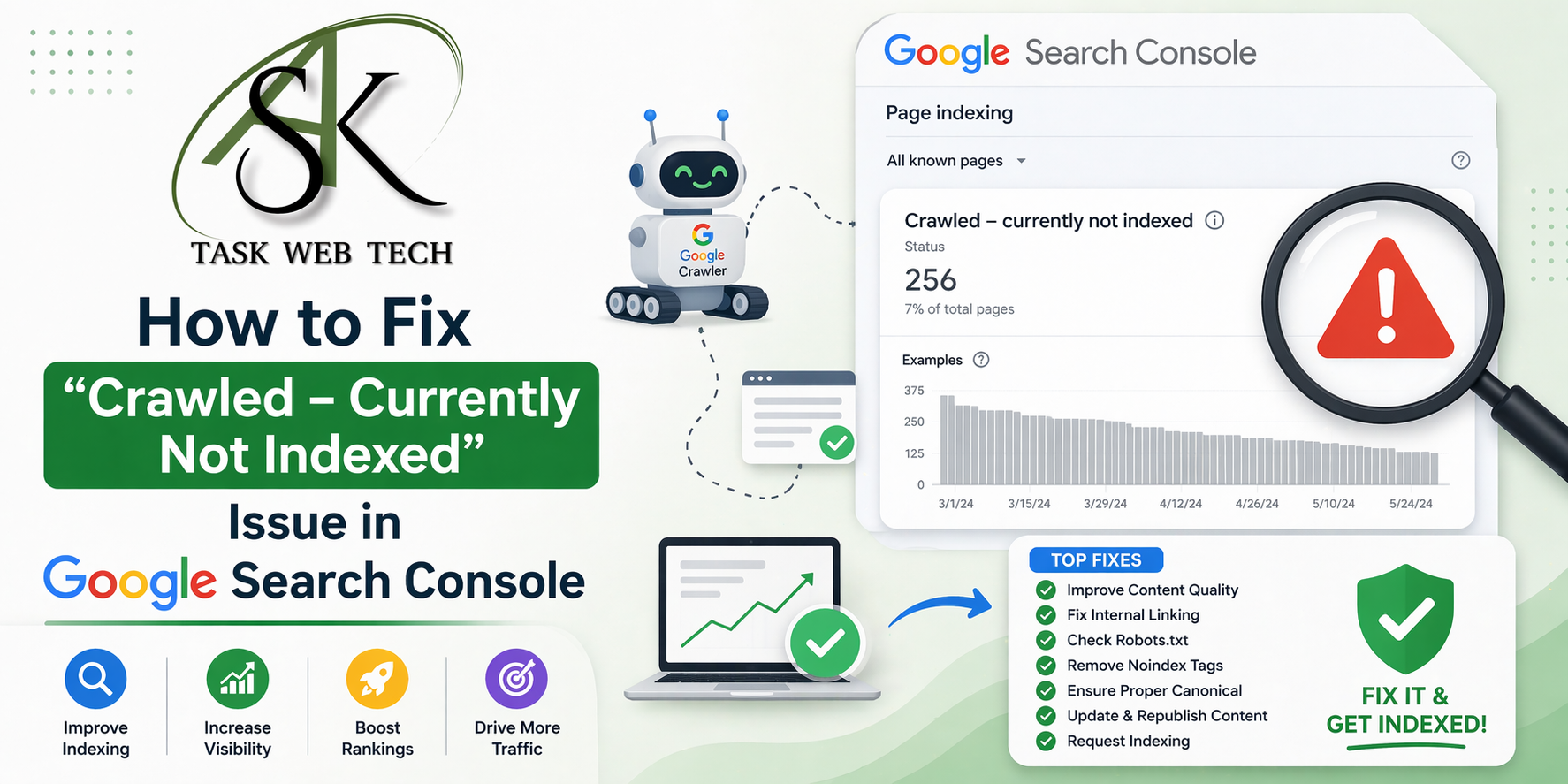
If you’ve ever checked Google Search Console and seen numerous pages in the Crawled Currently Not Indexed category, then you have probably been faced with the same problem. It is one of the most widespread and least-understood problems that bloggers and site owners encounter – and particularly those focusing on high-ranking tier-1 locations such as the USA, UK, Canada, and Australia. In this guide, we will take a closer look at what this status means, its causes, and how to solve it.
Thank you for reading this post, don't forget to subscribe!Explanation of “Crawled Currently Not Indexed”
Google has managed to reach your webpage and crawl it, but has chosen to exclude it from its indexing process intentionally. The decision has been taken based on the quality standards, and not due to any technical issue.
Getting a better grasp of the “Crawled Currently Not Indexed” issue
It should be noted that crawling and indexing are two entirely different actions performed by the search engine bot. The former one refers to visiting the web resource by Googlebot and fetching its HTML code, whereas the latter one involves evaluating the page for indexing. Thus, when your webpage has been crawled but not indexed, it means that Googlebot has fetched the page, but has chosen not to evaluate it further.
What we want to say is that this message usually indicates the fact that there is some problem with the actual page. Most likely, Google has analyzed your site and concluded that the page is of no use for users. Therefore, the indexing has been stopped at an early stage because it was simply impossible to index the webpage.
The Best Reasons for Google Not Indexing Your Webpages
- Poor-quality or scant content — Content that is too thin to have any new value and content which just regurgitates what has already been published elsewhere is often overlooked.
- Low E-E-A-T value — The guidelines for quality content established by Google emphasize experience, expertise, authority, and trustworthiness. Lack thereof will make a webpage non-indexable.
- Keyword Cannibalization – If you have more than one page on your site covering the same keyword theme, then Google cannot decide which page is most relevant for ranking.
- Crawl budget problems – Large websites having too many low-value pages like filter pages, pagination, and tag pages tend to consume their crawl budget before the high-value pages get crawled properly.
- Inadequate internal links – Pages which are not linked internally by other pages in your website receive lower priority from Google’s crawlers.
- Slow page speed and bad Core Web Vitals – Pages that take too much time to load on mobiles get a low priority due to Google’s mobile-first indexing methodology.
How To Fix “Crawled – Currently not indexed”
Since you have learned why the error “Crawled – Currently not indexed” happens, this step-by-step guide will help you fix this problem and index your pages in Google’s search engine.
1. Check all the problematic pages in Google Search Console
Go to Index > Pages > Crawled – Currently not indexed and download the entire list of problematic pages. You need to organize the pages according to their content categories such as blog articles, category pages, tag pages, and product pages. This way, you will know what needs fixing and what can simply be excluded from indexing.
2. Content Upgrade – Make sure that all the posts are according to E-E-A-T standards
All posts must show your practical experience and knowledge about the topic. This can be achieved by including an author’s bio along with their credentials, mentioning your own observation/data and citing authentic sources, and having About Us & Contact us sections ready. Try to make each post as long as 800-1,000 words or more.
3. Pages with duplicates or close duplicates must consolidate or have the noindex meta tag
Pages that contain duplicates or close duplicates of information must either be combined into a single page or be indexed with the robots noindex tag. This minimizes the number of useless URLs, making it easier for Google to use their crawl budget for better content.
4. Improve your blog’s internal links
All important pages must be linked to at least 2 or 3 times from other related articles on your blog. Make sure to use proper anchor text containing relevant keywords. This will give a clear indication to Google about the importance of the page.
5.Fix the XML sitemap
The sitemap must be composed of URLs that you intend to get indexed. It should not contain any noindex URLs, 301 redirects, and canonical duplicate URLs. Upload the modified sitemap to Google Search Console using the Sitemaps tool. Next, you can utilize the URL Inspection tool to ask for indexing.
6. Optimize page speed and Core Web Vitals
Perform an analysis using Google PageSpeed Insights to find out the causes of poor performance. Compress images, convert them into WebP format, set browser caching, apply a CDN, and remove JavaScript from rendering. Mobile-friendly fast websites are much more probable to pass the Google quality assessment for indexing.
7. Ensure quality backlinks to pages that have not yet been indexed
The lack of any backlinks to your page will make it look like it has low authority. You could engage in social sharing, write guest posts, and publish frequently in order to become an authoritative voice in your field. Even a few good links could get Google’s attention.
Pro Tip: Avoid asking for re-indexing until you improve the content on the page. Submitting poor-quality pages consistently using the URL Inspection Tool could give Google an impression that your website is substandard.
What You Should Not Do
Website administrators tend to request indexing for all impacted URLs before fixing the problems related to their content. However, sending a search engine numerous requests for low-quality pages will only emphasize the poor quality of the pages, making the domain seem low in quality as well.
Do not clutter your sitemap with thin pages, write content that is too similar to the content of other articles already present on your website, or use only social signals. None of these practices will help you address the issue at its source.
How Long Will It Take for You to Get Results?
Unfortunately, there are no set deadlines for how long you have to solve the “Crawled but Not Indexed” problem. But if we talk about small and medium-sized blogs that implement effective content changes and work with internal linking properly, then usually it takes from 3 to 8 weeks until the start of indexing. With large resources, depending on the quality, it can take even several months. Check your results on Google Search Console periodically.
Important Points to Remember
The Crawled – Currently Not Indexed label is an indicator of good quality rather than a technical problem.
This issue always stems from content quality, E-E-A-T indicators, crawl budget, or poor internal links.
Improve content quality and seek re-indexation after you have made improvements via Search Console.
Work on your sitemap and improve Core Web Vitals, and you will achieve your goal sooner.
Constructing backlinks from other websites will quicken the process of re-evaluation by Google.
Consistency is key; changes in 4-8 weeks prove the most effective.